Ceiling fans are a simple way to keep your home comfortable, but when you notice ceiling fans not working, it can quickly become frustrating. A fan that won’t turn on, makes noise, or stops spinning can point to anything from a minor issue to a deeper electrical concern. The good news is that many of these problems can be identified with a few basic checks before moving on to more advanced repairs.
In this guide, we walk through the most common reasons ceiling fans stop working and how to fix ceiling fans step by step. We also explain when it makes sense to bring in a professional for safe and lasting results. If you need help at any point, our team at B-Tec Electric Co. LLC offers reliable electrical services with hands-on experience to get your system running properly again.
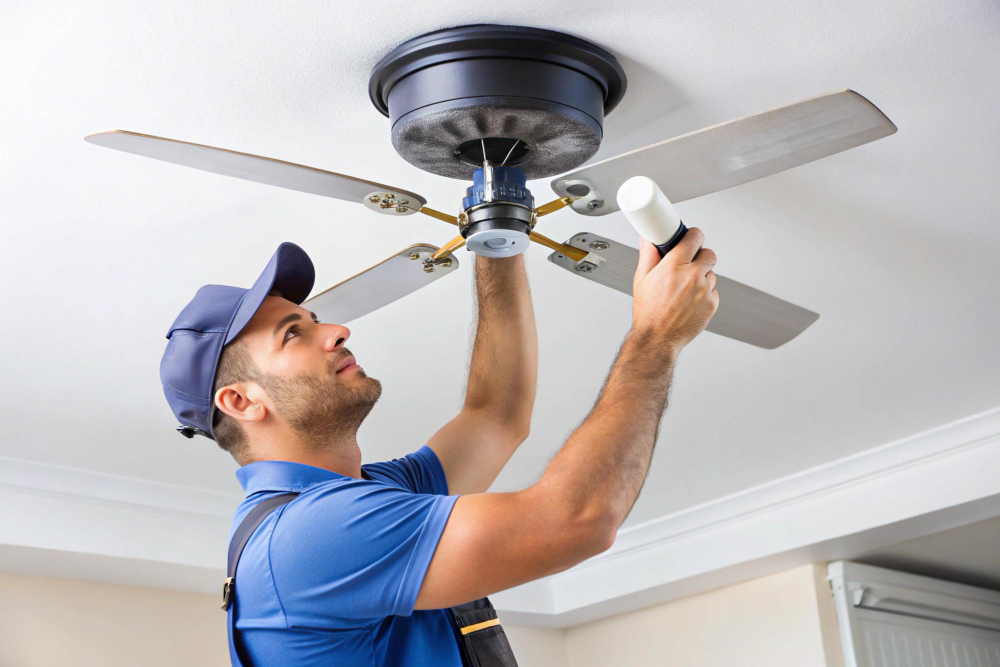
Understanding Why Ceiling Fans Stop Working
Before jumping into repairs, it helps to understand how a ceiling fan operates. A typical fan relies on a motor, capacitor, wiring connections, and controls such as a wall switch or remote. If any one of these components fails or becomes loose, the fan may stop working or behave unpredictably.
Some issues are mechanical, like loose blades or dust buildup that slows the fan down. Others are electrical, such as wiring faults or a failed capacitor. In some cases, the fan still runs but shows symptoms like noise, , or reduced airflow. In other cases, both the fan and light stop working entirely. wobbling
Knowing what to look for helps you move through troubleshooting in a logical way, starting with the simplest possibilities.
Start by Checking the Power Source
When ceiling fans are not working, always begin with the power supply. It may seem obvious, but many problems come from a disconnected or interrupted power source.
Check the wall switch first. If your fan connects to a switch, check that it is turned on. Then move to the breaker panel and confirm that the circuit has not tripped. Resetting the breaker may restore power immediately.
If your fan plugs into an outlet, test the outlet with another device to confirm it is active. Power issues are often the easiest to fix and should always be your first step before moving deeper into troubleshooting.
Pull Chain Controls or Test Your Remote
Most ceiling fans nowadays often use remote controls, while older models operate on pull chains. If your fan is unresponsive, the issue may be related to these controls rather than the fan itself.
For remote-controlled fans, change the batteries and confirm they are installed correctly. Sometimes the remote needs to be re-synced with the receiver, which can be done using the manufacturer’s instructions.
For pull chain fans, gently pull the chain to cycle through speed settings. If the chain feels broken or stuck, it may require replacement. In some cases, the internal switch connected to the pull chain wears out over time, preventing the fan from turning on.
Inspect the Blades and Motor Housing
Mechanical resistance can prevent a ceiling fan from operating properly. Dust buildup on the blades adds weight, which can strain the motor and reduce performance. Over time, this can lead to noticeable issues such as wobbling or slow movement.
Check that the blades spin freely and are not hitting any nearby objects. Tighten all screws that connect each blade to the motor housing. Loose components often cause noise and imbalance.
If the motor housing feels hot to the touch or produces unusual sounds, this may indicate an internal issue. At this point, it becomes safer to involve a professional rather than attempting deeper repairs on your own.
What to Do When the Ceiling Fan Light Is Not Working
A common complaint homeowners face is a ceiling fan light not working while the fan itself still operates. This situation often points to a separate issue within the light kit rather than the entire fan system.
Start by checking the light bulbs. Replace them with new ones to rule out simple burnout. If the bulbs are fine, check the light switch or remote settings to confirm the light function is active.
Next, inspect the wiring connections inside the light kit. Loose wires can interrupt power to the light even if the fan motor continues running. If you feel comfortable doing so, turn off the power at the breaker and inspect the connections. If not, it is best to contact a professional electrician.
In some cases, the issue may come from the light kit itself, especially if it has been used for many years. Replacing the light kit can restore full functionality.
Check the Capacitor for Motor Issues
The capacitor plays a key role in starting the fan and controlling its speed. If your fan makes a humming sound but doesn’t turn, or it runs at just one speed, the capacitor may be the issue.
Capacitor issues are common in older ceiling fans and can prevent the motor from operating correctly. Replacing a capacitor requires handling internal electrical components, which can be unsafe without proper experience.
If you suspect a capacitor problem, this is a good time to reach out to a professional who can safely diagnose and fix ceiling fans without risking further damage.
Check the Wiring Connections
Loose or faulty wiring is another reason for ceiling fans not working. Wiring issues may cause the fan to stop suddenly, flicker, or fail to respond to your controls.
Because wiring involves direct electrical connections, this step requires caution. Always turn off the breaker before inspecting any wires. Look for loose connections or signs of wear.
If you notice damaged wiring or are unsure about what you see, avoid attempting repairs yourself. Electrical work presents safety risks, and a professional electrician can handle these issues properly.
Address Wobbling, Noise, and Performance Issues
Even if your fan is still running, performance problems can indicate that something needs attention. Wobbling fans often result from loose screws or unbalanced blades. Tightening the mounting hardware and blade brackets can often resolve the issue.
If wobbling continues, you may need a blade balancing kit to even out the fan’s rotation. Noise can also come from loose parts or worn components, so inspecting all connections is a good step.
Cleaning the blades regularly helps maintain airflow and reduces strain on the motor. Dust buildup can affect both performance and longevity, making routine maintenance an important part of fan care.
Check the Fan Direction and Settings
Another often overlooked reason for ceiling fans not working properly is incorrect fan direction or settings. Many homeowners do not realize that ceiling fans have a reverse switch that changes the blade direction based on the season. If this switch gets stuck in the middle position or is set incorrectly, the fan may not spin as expected or may run inefficiently.
Take a moment to check the direction switch, usually located on the motor housing. Make sure it is fully set in one direction. During warmer months, the fan should rotate counterclockwise to push cool air downward. In cooler months, switching to clockwise helps circulate warm air trapped near the ceiling.
If your fan uses a remote or wall control, verify that the speed settings are functioning properly and not stuck on a low or inactive mode. Resetting the controls or reprogramming the remote can sometimes restore normal operation. Small adjustments like these can make a noticeable difference in how well your ceiling fan performs and may resolve issues without further repairs.
Consider the Age of Your Ceiling Fan
Ceiling fans typically last between 10 and 15 years. If your fan is approaching this age and experiencing frequent issues, replacing it may be more practical than repairing it.
Older fans may struggle with worn motors, outdated wiring, or inefficient designs. A newer model can offer improved performance, quieter operation, and better energy efficiency.
If you are unsure about replacing your fan, a professional electrician can evaluate its condition and recommend the best course of action.
When to Call a Professional Electrician
While many basic steps can help fix ceiling fans, there are situations when professional help is the safest choice. Electrical issues can quickly become dangerous if handled incorrectly, especially when dealing with wiring or internal components.
You should contact a professional if the breaker repeatedly trips, if you notice burning smells, or if the motor often overheats. Buzzing sounds or persistent failures to start also indicate deeper electrical concerns.
Preventing Future Ceiling Fan Problems
Preventive maintenance helps extend the life of your ceiling fan and reduces the chance of unexpected breakdowns. Cleaning the blades regularly keeps airflow steady and prevents excess strain on the motor.
Tightening screws and checking connections from time to time helps maintain stability and reduces wobbling. Adjusting the fan direction based on the season can also improve comfort and performance. Running the fan counterclockwise in warmer months creates a cooling effect, while reversing the direction helps circulate warm air during cooler periods.
Scheduling periodic inspections can also catch small issues before they turn into larger problems. A professional can identify wiring concerns or worn components early, saving time and hassle later.
Get Reliable Help from B-Tec Electric Co. LLC
If your ceiling fan is not working properly and basic troubleshooting does not solve the issue, our team at B-Tec Electric Co. LLC is ready to help. With over 30 years of hands-on experience and a strong focus on quality workmanship, we handle everything from wiring issues to full fan replacements.
As a fully-licensed veteran-owned company, we take pride in delivering friendly service backed by real experience and knowledge. Request a quote today to get started, and let us help restore comfort and airflow to your home with safe and reliable solutions.